اشرح المباراة
كالمحترفينExplain the match
like a pro
ارسم على اللقطة مباشرةً، وقِس المسافات بالمتر، وحوّلها إلى منظر علوي وملعب ثلاثي الأبعاد، واعرض تحليلك على شاشة البث. كل ذلك من برنامج واحد يعمل على جهازك.Draw on the footage, measure real distances in metres, switch to a top view or a 3D pitch, and send your analysis to the broadcast screen. All from one app on your computer.
يوم كامل مجانًا بكل المميزات · Windows و MacOne full day free with every feature · Windows & Mac
أربعة أوضاع للتحليلFour ways to analyse
من تحليل لقطة واحدة إلى الشرح المباشر على الهواء.From a single clip to live analysis on air.
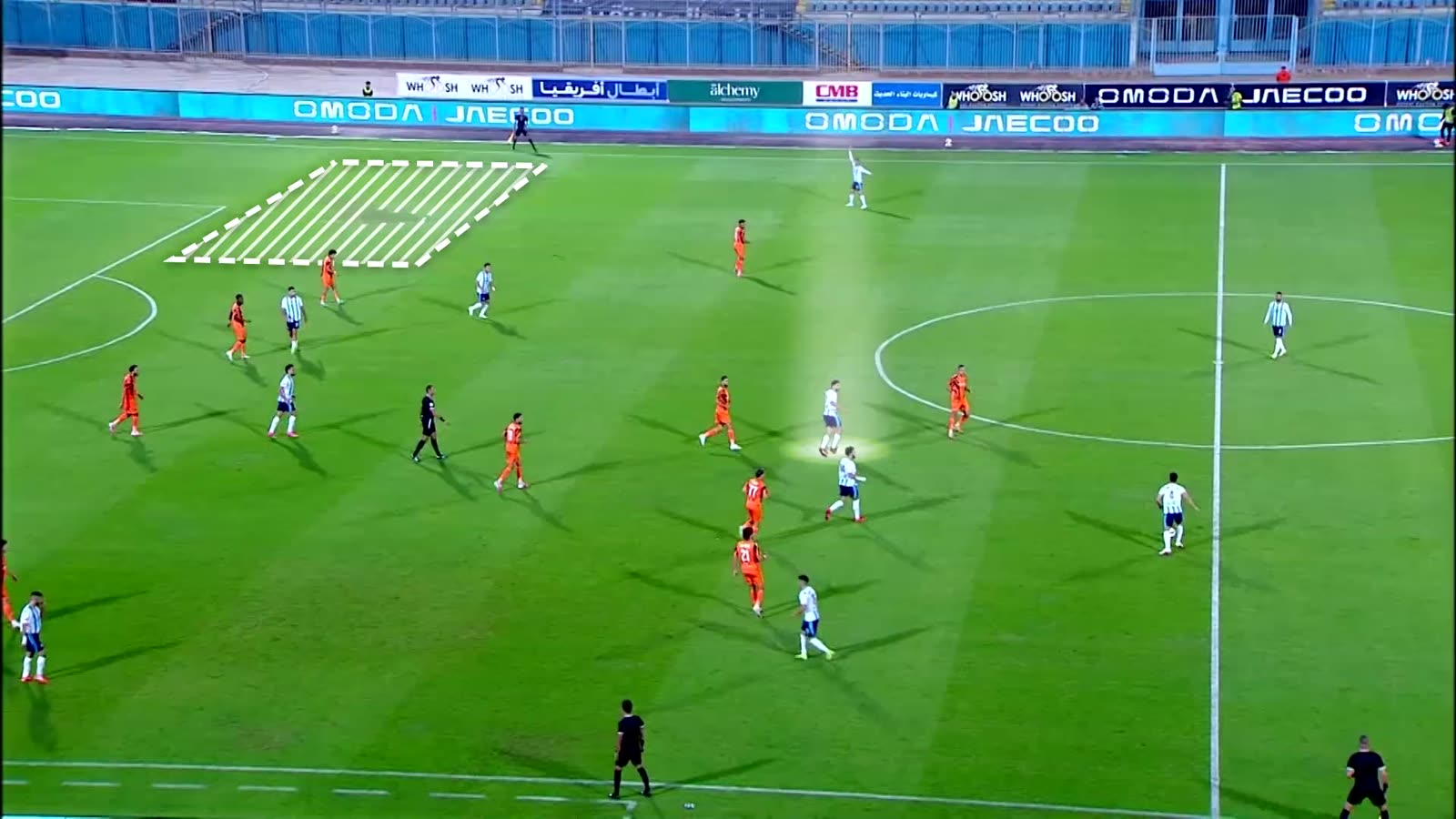
تحليل اللقطاتClip Analysis
افتح فيديو المباراة، واقتطع اللقطات، وارسم عليها. يتوقف التشغيل تلقائيًا عند كل رسم محفوظ.Open the match video, cut clips and draw on them. Playback stops by itself at every saved drawing.
في كل الباقاتAll plansاللوحة التكتيكيةTactics Board
ملعب كامل بتشكيلتي الفريقين، حرّك اللاعبين بيدك وارسم الأسهم والمساحات والتحركات.A full pitch with both line-ups. Move players by hand and draw arrows, areas and runs.
في كل الباقات · الـ 3D من باقة 6 أشهرAll plans · 3D from the 6-month planرسومات المباراةMatch Graphics
ارفع فيديو الملعب وعايِره، ثم اعرض التشكيلة واقفة على أرض الملعب وثابتة مع حركة الكاميرا.Calibrate a stadium video and show the line-up standing on the grass, steady with the camera.
باقة السنةYearly planالتحليل المباشرLive Analysis
استقبل الصورة من بطاقة الالتقاط أو الكاميرا أو الشاشة، وجمّد اللقطة وحلّلها على الهواء، مع شاشة OUTPUT للبث.Take the feed from a capture card, camera or screen, freeze the frame and analyse it on air, with an OUTPUT screen for broadcast.
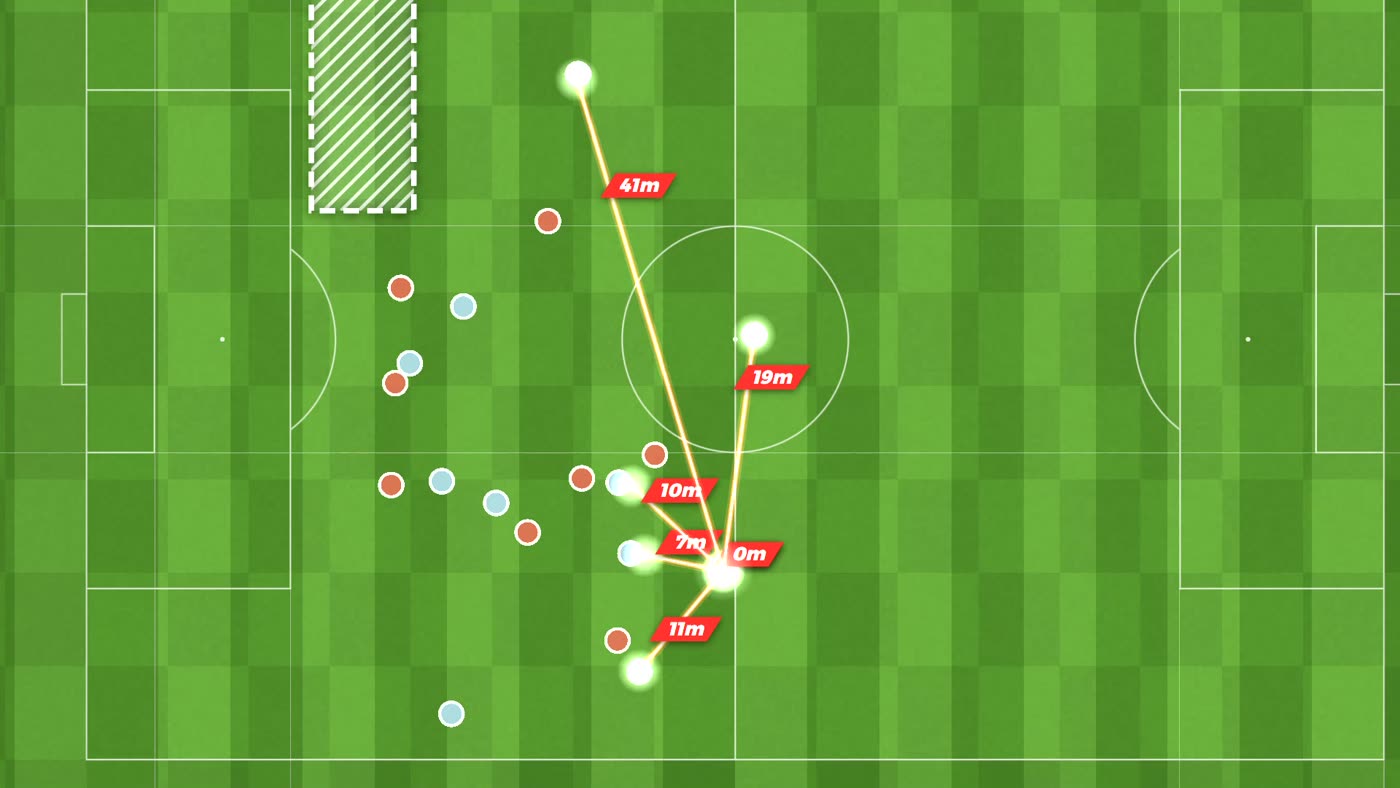
باقة السنةYearly planالمنظر العلويTop view
تتجمد اللقطة وترتفع الكاميرا فوق الملعب، فترى مواقع اللاعبين وخيارات التمرير والمسافات من أعلى.The frame freezes and the camera rises above the pitch, showing player positions, passing options and distances from above.
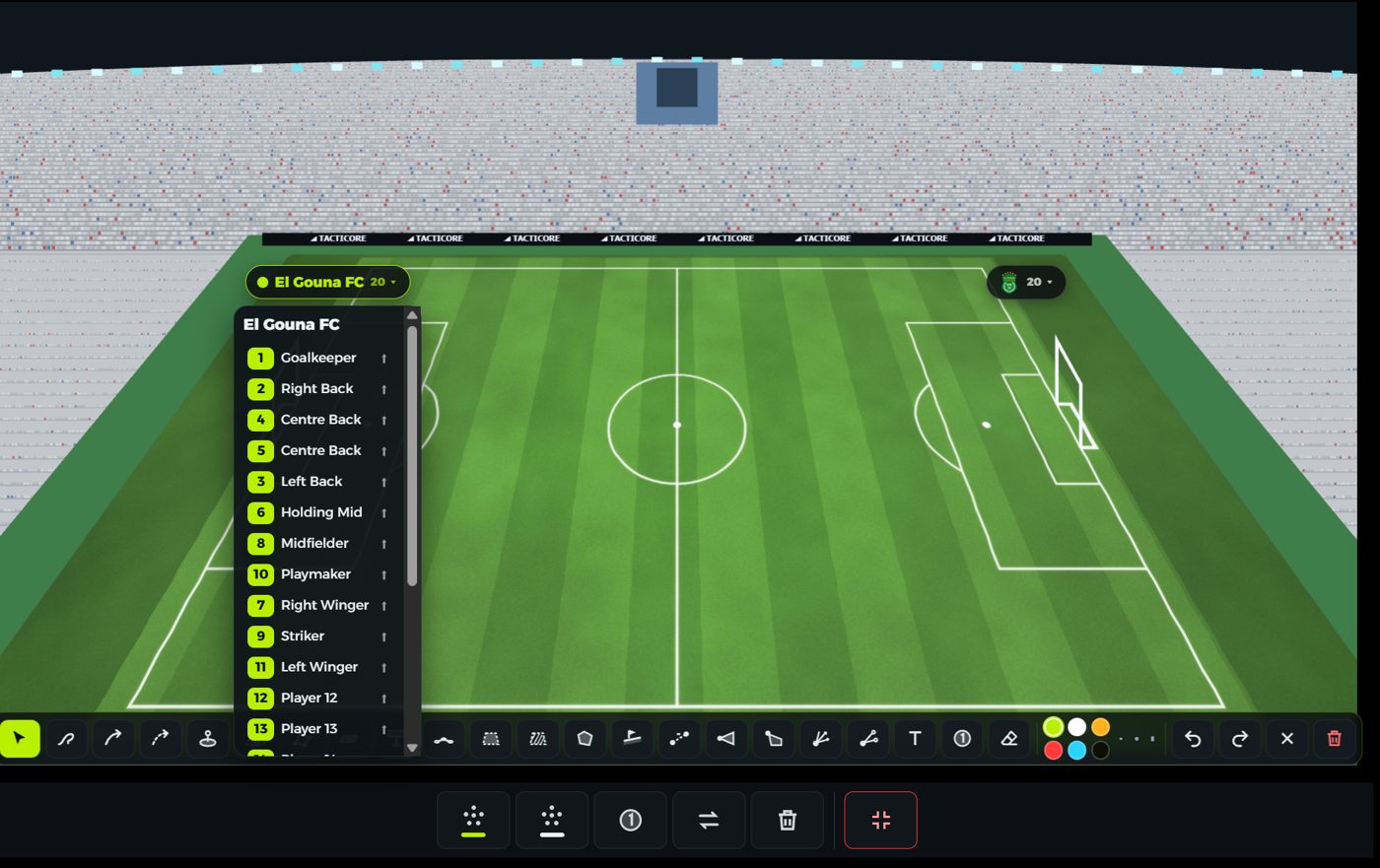
لوحة تكتيكية ثلاثية الأبعاد3D tactics board
ملعب كامل داخل استاد حقيقي، بقائمة اللاعبين وأسمائهم ومراكزهم. اسحب اللاعب إلى مكانه أو اختر تشكيلة جاهزة.A full pitch inside a real stadium with your squad list, names and positions. Drag players into place or pick a ready formation.
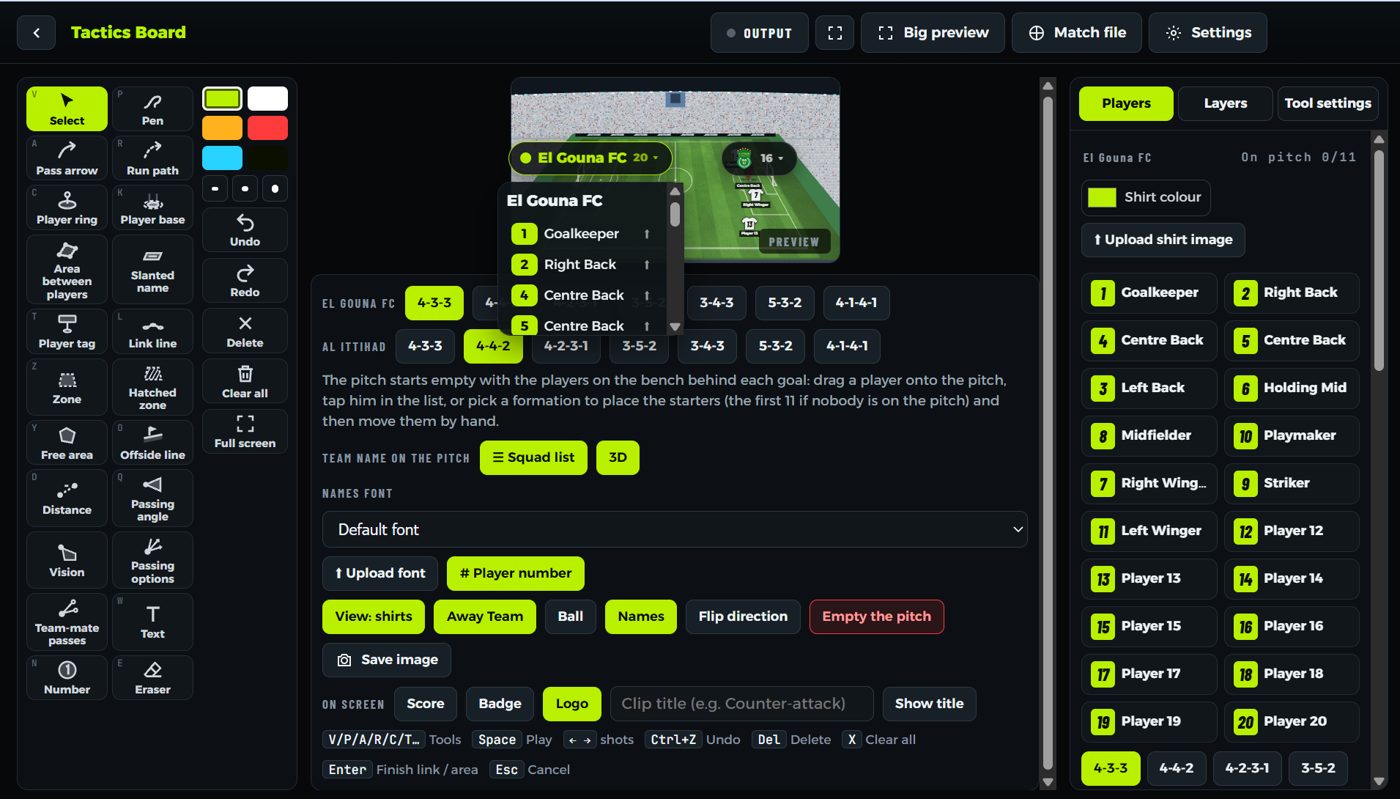
تشكيلات جاهزة بنقرة واحدةFormations in one click
4-3-3 و 4-4-2 و 3-5-2 وغيرها، مع ألوان القمصان وشعار الفريق، ثم احفظ الصورة مباشرة.4-3-3, 4-4-2, 3-5-2 and more, with kit colours and the team badge. Save the image straight away.
29 أداة في كل الباقات29 tools in every plan
بعد المعايرة تثبت كل أداة على أرض الملعب بالمنظور، وتُقاس المسافات بالمتر.After calibration every drawing sits on the grass in perspective, and distances are measured in metres.
اختر باقتكChoose your plan
كل الباقات فيها الأدوات الـ 29 كاملة. كلما طالت المدة فُتحت مميزات أكثر ووفّرت أكثر.Every plan has all 29 tools. Longer plans unlock more features and save you more.
من الطلب إلى التفعيل في أربع خطواتFrom order to activation in four steps
اختر باقتكPick a plan
اضغط «اشترِ» على الباقة واكتب اسمك ورقم واتساب.Press “Buy” on a plan and enter your name and WhatsApp number.
ادفعPay
إنستاباي بمسح الكود، أو فودافون كاش على الرقم الذي يظهر لك.InstaPay by scanning the code, or Vodafone Cash to the number shown.
ارفع الإيصالUpload the receipt
صورة التحويل، وتستلم رقم طلبك فورًا.A screenshot of the transfer, and you get your order number at once.
فعّل البرنامجActivate
نراجع الدفع ونرسل لك كود التفعيل على واتساب. بعدها يعمل البرنامج دون إنترنت.We check the payment and send your activation code on WhatsApp. Then the app works offline.
حمّل النسخة التجريبيةDownload the free trial
يوم كامل بكل المميزات.One full day with every feature.
الأسئلة الشائعةFAQ
هل يعمل البرنامج دون إنترنت؟Does it work offline?
نعم. بعد التفعيل يعمل البرنامج بالكامل دون إنترنت.Yes. Once activated, the app works fully offline.
على كم جهاز يعمل الترخيص؟How many computers per licence?
كل ترخيص يعمل على جهاز واحد. وللقنوات التي تحتاج أكثر من جهاز تواصل معنا.Each licence runs on one computer. Channels needing more, please contact us.
متى أستلم كود التفعيل؟When do I get my activation code?
بعد مراجعة الإيصال، عادةً خلال ساعات قليلة، ويصلك على واتساب مع رقم طلبك.After we check your receipt, usually within a few hours, on WhatsApp with your order number.
ما هو «كود الطلب» في البرنامج؟What is the “request code” in the app?
رقم خاص بجهازك يظهر في شاشة التفعيل. أرسله لنا مع طلبك لنصدر الترخيص لجهازك.A number unique to your computer shown on the activation screen. Send it with your order so we can issue the licence for your computer.
ماذا يحدث عند انتهاء الاشتراك؟What happens when my plan ends?
عند التجديد تستلم كودًا جديدًا وتحتفظ بكل أعمالك ومكتبتك.When you renew you get a new code and keep all your work and library.
هل يمكنني الترقية إلى باقة أعلى؟Can I upgrade later?
في أي وقت. تدفع الفرق فقط وتستلم كودًا جديدًا على الجهاز نفسه.Any time. Pay only the difference and get a new code for the same computer.